Best Loom Alternatives for Mac Without a Subscription (2026)
 By Archil Sharashenidze, founder of Record · Updated · 13 min read

The best Loom alternative depends on which part of Loom you use. Free: QuickTime Player for simple recordings, OBS Studio for full control, and Cap (open source, free for personal use) if you still want a share link. Pay once, no subscription: Record ($9.99, Mac only, links through your own Google Drive) or CleanShot X ($35). For teams that live on comments and viewer stats: Tella, Supercut, Zight or Vidyard, or stay on Loom.
We make Record, one of the options below. We say where the others are better, and every price was checked on the official page in November 2026.
Loom alternatives at a glance
Eleven tools, one row each. Loom is the first row, so you can compare. "Share with a link" means you stop recording and get a web link to send, without uploading the file yourself.
| Tool | How you pay | Share with a link | Free plan | Videos stay yours | Open source |
|---|---|---|---|---|---|
| LoomFor reference · Mac, Windows, Chrome, phones | MonthlyFree plan; Business $18 per user a month | Yes | Partly25 videos, 5 min each, 720p | NoLoom’s cloud | No |
| Record Our appMac (macOS 15 or later) | Pay once$9.99 once, updates included | YesThrough your own Google Drive | NoA live demo instead | YesYour Mac, and your Drive when you share | No |
| QuickTime PlayerMac, built in | FreeBuilt into macOS | No | YesNo limits | YesYour Mac | No |
| OBS StudioMac (macOS 13 or later), Windows, Linux | FreeNo paid plan | No | YesNo limits | YesYour Mac | Yes |
| CapMac, Windows, Linux | Free for personal useFor work: $58 once or $29 a year; Pro $12 per user a month | Yes | PartlyPersonal use only; 25 links a month, 5 min each | YesYour Mac, or your own S3 or Drive on Pro | YesAGPLv3 |
| ScreenityChrome extension | FreePro $10 a month | PartlyPro only | YesRecorder free, no account | YesYour computer | YesGPLv3 |
| CleanShot XMac | Pay once$35 once (1 year of updates); Pro $10 per user a month* | YesCleanShot Cloud, 1 GB on the $35 plan | No | YesYour Mac | No |
| TellaMac, Chrome, browser | Monthly$13 per user a month* | Yes | No7-day trial | NoTella’s cloud | No |
| SupercutMac (macOS 14 or later), Windows | Monthly$15 per seat a month* | Yes | No14-day trial | NoSupercut’s cloud | No |
| ZightMac, Windows, Chrome, phones | MonthlyFree plan; $9.95 per user a month* | Yes | Partly5 min per video, 720p, 1 GB | NoZight’s cloud | No |
| VidyardMac, Windows, Chrome, Edge | MonthlyFree plan; $59 per seat a month* | Yes | Partly5 videos a month, 30 min each | NoVidyard’s cloud | No |
yes · no · yes, with limits. “Videos stay yours”: kept on your computer or in storage you own. * Billed yearly; paying month by month costs more. Prices in US dollars, before tax, read on each official pricing page in November 2026.
Which Loom alternative fits you?
Most people who leave Loom want one of four things. Find yours, then read only that part of the list.
- Free, and sending a file is fineQuickTime, OBS Studio, ScreenityYou record now and then, and attaching an MP4 to a message is enough.$0
- Free, but you need a linkCap, for personal useOpen source, with short share links on the free plan. Work use needs a license.$0 for personal use
- A link, but no monthly billRecord, CleanShot XYou record often on a Mac, alone or in a small team, and you are tired of a bill per person.$9.99 or $35, once
Why people leave Loom
Loom is good software. It records your screen and camera, gives you a link the moment you stop, and shows comments and viewer statistics. Most people who look for an alternative to Loom leave it for one of three reasons:
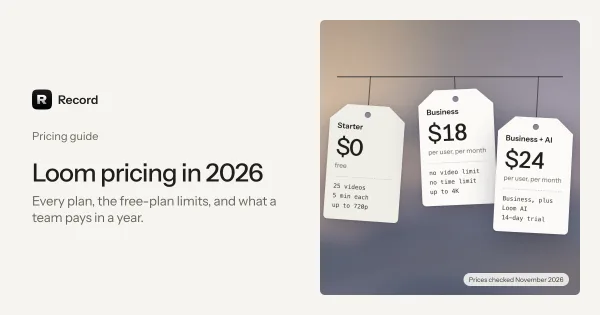
- The free plan stops early. It allows 25 videos per person, 5 minutes each, at 720p. The full plan-by-plan breakdown is in Loom pricing in 2026.
- The bill is per person, every month. Business costs $18 per user a month, which is $216 a year for one person billed monthly, or $180 billed yearly.
- Your videos sit on someone else's servers. Some people want the files on their own Mac or in their own cloud storage.
If you only want to see Record and Loom compared row by row, read Record vs Loom, side by side. This page covers the wider field.
Free Loom alternatives
These cost nothing. The catch: only Cap gives you a share link for free, and only for personal use. With the others you send the file yourself.
QuickTime Player and the Screenshot toolbar
FreeBuilt into macOSMac, built in
Every Mac can already record its screen. Press Shift-Command-5, pick the full screen, a window or a part of it, and click Record. Under Options you can choose a microphone and where to save. The video is a .mov file.
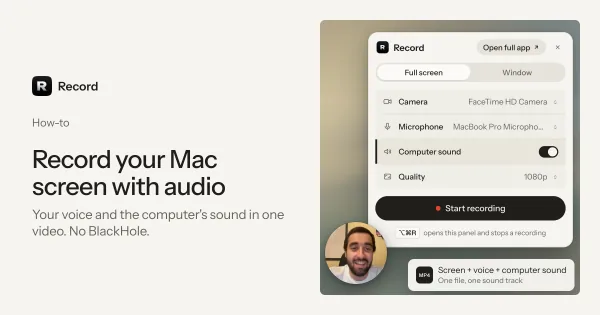
A common trick for a camera bubble is a QuickTime “New Movie Recording” window floating on top. The sound of your computer is recorded only by the Screenshot toolbar on macOS 27 and later (Include System Audio); on macOS 26 and earlier, and in QuickTime’s own controls, you get the microphone only. See how to record your Mac screen with audio. If Shift-Command-5 does nothing, the shortcut may be switched off: how to turn it back on.
Costing nothing, with no install and no account.
No camera bubble and no share link: you send the file yourself.
OBS Studio
FreeNo paid planMac (macOS 13 or later), Windows, Linux
OBS is free, open source and very powerful. You build "scenes" from sources: a screen, a window, a camera, images, text. It records and also streams live. It runs on macOS 13 or later, Windows and Linux.
Control: put your camera anywhere, mix several sound sources, and stream to YouTube or Twitch.
A first setup takes a while, and there is no link: you upload the file to Drive, Dropbox or YouTube yourself.
Cap
Free for personal useFor work: $58 once or $29 a year; Pro $12 per user a monthMac, Windows, Linux
Cap calls itself the open source Loom alternative, and it is the closest free match to how Loom works. It has a Mac app (also Windows and Linux), a camera bubble, an editor in "Studio Mode", and share links. The code is on GitHub under the AGPLv3 license, and you can run Cap's web part on your own server with Docker.
The free plan is for personal use only and gives 25 share links a month, each up to 5 minutes. Work use needs a Desktop License ($29 a year or $58 once) or Cap Pro ($12 per user a month, or $8.16 billed yearly). Pro adds unlimited cloud sharing, viewer analytics, and storage in your own S3 bucket or Google Drive.
Being open source, self-hostable and much cheaper.
The free plan is for personal use only, and links stop at 5 minutes unless you pay for Pro.
Screenity
FreePro $10 a monthChrome extension
Screenity is a free, open source (GPLv3) screen recorder that runs as a Chrome extension. It records your screen and camera, lets you draw on the screen, and saves the video on your computer, with no account. Share links, cloud storage and the editor are part of Screenity Pro, $10 a month or $120 a year.
Free recording with no limit and no sign-up.
It lives in Chrome, not in a Mac app, and links need Pro.
Loom alternatives you pay for once
If you record every week, the free tools start to cost you time, and the monthly tools cost you money every month. Paying once sits in between. Cap's $58 lifetime Desktop License belongs here too, though its share links stay limited without Pro.
Record (our app)
Pay once$9.99 once, updates includedMac (macOS 15 or later)
We make Record, so read this part with that in mind. Record is a screen and camera recorder for Mac that works like Loom and costs $9.99 once. It records the full screen, one window or an area you drag, a round camera view you can drag, your microphone and your computer's sound, from 480p up to 4K at 30 or 60 frames per second. There is no limit on the number or length of videos. Every recording is an MP4 file in Movies/Record on your Mac. While you record, a marker in four colors draws on the screen. Afterwards, the editor trims, splits and crops, and puts the video on a gradient background.
Sharing works through your own Google Drive. Connect it once in Settings. When you stop a recording, Record uploads it to the Record folder of your Drive and copies the link. You choose who can watch: anyone with the link, or only people you invite. Google needs a few minutes to prepare a new video before it plays. The film below shows the whole thing in 40 seconds.
- Stop the recordingPress ⌥⌘R or click stop
- Record uploads itTo the Record folder in your own Google Drive
- The link is copiedPaste it into Slack, Mail or a chat
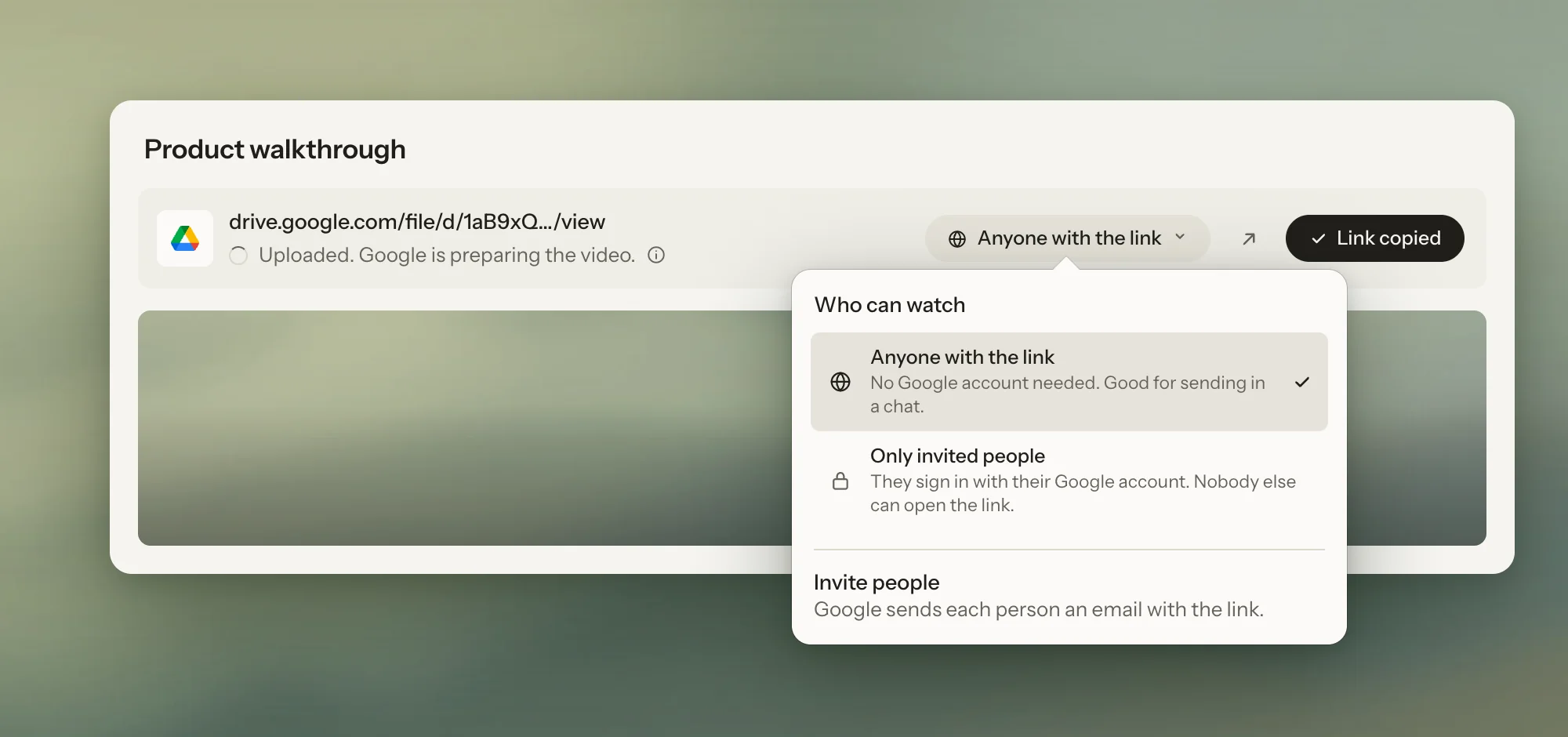
Cost over time, no limits on videos or minutes, no account, and files that stay yours.
Mac only (macOS 15 or later). No comments or viewer statistics. No free plan or trial, but there is a live demo on the home page. Links go through your Google Drive, so you need a Google account.
More on the Record home page and the pricing page.
CleanShot X
Pay once$35 once (1 year of updates); Pro $10 per user a month*Mac
CleanShot X is a Mac app best known for screenshots, and it records video too. It can show your camera, record the microphone and the computer's sound, and upload to CleanShot Cloud for a link. CleanShot Basic is $35 once with one year of updates (then $19 a year if you want more updates) and 1 GB of cloud storage. CleanShot Pro is $10 per user a month, with unlimited cloud storage and team features.
Screenshots, annotations and a video editor with zooms, all in one Mac app.
1 GB of cloud fills up fast with video, so heavy link sharing pushes you to the subscription.
Loom alternatives for teams
If your team uses Loom for comments, reactions, viewer stats and a shared library, these tools do that job. They all cost money every month, per person, like Loom.
Tella
Monthly$13 per user a month*Mac, Chrome, browser
Tella has a native macOS recorder and a Chrome extension, and you edit in the browser. Its strength is editing: you cut clips, change layouts and backgrounds, and get a polished video with a share link. Pro is $13 per user a month and Premium $19, both billed yearly. There is no free plan, only a 7-day trial.
A tidy, edited video for customers or a course.
No free plan, only a 7-day trial.
If you mostly want to edit by text and transcript, Descript is the other name to look at (free plan with 60 media minutes a month and 720p exports with a watermark; paid plans from $16 a month billed yearly).
Supercut
Monthly$15 per seat a month*Mac (macOS 14 or later), Windows
Supercut is a newer async video tool with native apps for macOS 14 or later and Windows 10 or later. Pro is $15 per seat a month, billed yearly, with unlimited videos up to one hour each, up to 4K, and free viewer seats. There is a 14-day trial that starts with your first video.
Recordings up to an hour, and unlimited free viewers on the paid plan.
No free plan, only a 14-day trial.
Zight (formerly CloudApp)
MonthlyFree plan; $9.95 per user a month*Mac, Windows, Chrome, phones
Zight mixes screen recording, screenshots and GIFs, with links for each. It has Mac and Windows apps, a Chrome extension and phone apps. The free plan allows 5-minute recordings at 720p and 1 GB of storage. Create costs $9.95 per user a month and Collaborate $12, both billed yearly.
Quick screenshots and GIFs next to video, at a lower price per person.
The free plan stops at 5 minutes and 720p.
Vidyard
MonthlyFree plan; $59 per seat a month*Mac, Windows, Chrome, Edge
Vidyard is made for sales teams. It has a desktop app for Mac and Windows, an extension for Chrome and Edge, and ties into email and CRM tools. The free plan allows 5 recordings a month, each up to 30 minutes. Starter costs $59 per seat a month billed yearly, or $89 month by month.
Sales follow-ups and tracking who watched.
The price, which is higher than Loom’s.
Or stay on Loom
If your team really uses comments, emoji reactions, viewer insights and a shared workspace every day, Loom may still be the right tool. Loom has been part of Atlassian since 2023 and works with Jira and Confluence. Moving away saves money, but the habits of a team are worth something too.
Open source Loom alternatives
Three tools on this list publish their code:
- Cap (AGPLv3): the only one built to work like Loom, with share links. You can host its web part yourself.
- OBS Studio: the most powerful, but without links or a camera bubble out of the box.
- Screenity (GPLv3): the recorder is open source; sharing and the editor are a paid service.
Record is not open source. It also has no servers to host: the app talks only to your Google Drive, and only when you share.
How we checked this list
We read each tool's official pricing or product page in November 2026 and wrote down the price, the free plan and the platforms. We did not use prices from other lists, which are often out of date. Prices change often, so check the official page before you pay. We left out tools that are mainly for polished product demos (a separate guide to Screen Studio alternatives is coming) and general screen recorders that are not used like Loom (a guide to the best screen recorder for Mac is coming too).
Questions and answers
What is the best free Loom alternative for Mac?
Cap, if you need share links: it is open source and free for personal use, with 25 links a month of up to 5 minutes each. If you only need a video file, QuickTime Player (Shift-Command-5) is built into every Mac, and OBS Studio is free with no limits.
Is there a Loom alternative without a subscription?
Yes. Record costs $9.99 once and shares a link through your own Google Drive. CleanShot X Basic costs $35 once with one year of updates. Cap sells a $58 lifetime Desktop License. OBS Studio and QuickTime Player are free.
What is a cheaper alternative to Loom?
Loom Business is $18 per user a month. Cheaper choices: Record at $9.99 once, Cap Pro at $8.16 a month billed yearly, and Zight Create at $9.95 a month billed yearly. Free choices are OBS Studio, QuickTime Player and Cap for personal use.
Is there an open source Loom alternative?
Yes. Cap is open source under the AGPLv3 license and works like Loom, with a Mac app and share links; you can also host it yourself. Screenity (a Chrome extension) and OBS Studio are open source too, but they do not give free share links.
Can I use QuickTime instead of Loom?
For simple recordings, yes: QuickTime and the Screenshot toolbar record your screen and microphone for free. They have no camera bubble and give no share link, so you send the file yourself. The computer’s own sound is recorded only by the Screenshot toolbar on macOS 27 and later.
Does Record have a free plan or a free trial?
No. Record costs $9.99 once, with no subscription. There is no free plan and no trial, but you can try the app in the live demo on the home page before you buy.